
Tap to Pay on iPhone
Tap to Pay on iPhone.
No terminal needed.
Accept contactless payments with only an iPhone and the Payanywhere app.

iPhone now lets you accept
contactless payments.
With Tap to Pay on iPhone and the Payanywhere app, you can accept all types of in-person, contactless payments, right on your iPhone — from physical debit and credit cards, to Apple Pay and other digital wallets — no extra terminals or hardware needed. It's easy, secure, and private.
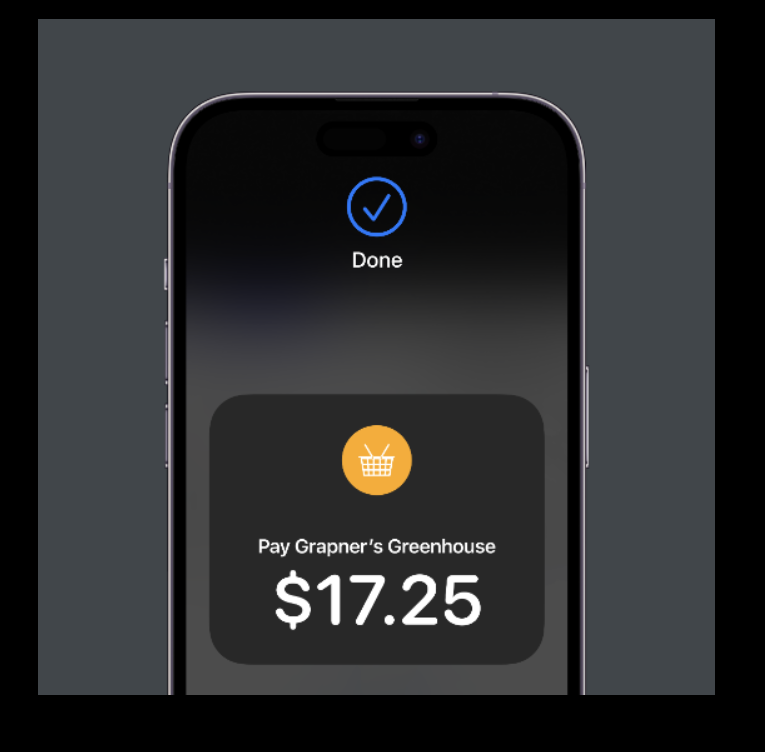
All you need is your iPhone.
To use Tap to Pay on iPhone, simply download the Payanywhere app, sign up, and start accepting in-person, contactless payments anytime, anywhere — right on your iPhone.
Accepting payments is easy.
Tap to Pay on iPhone and Payanywhere remove the complexities of developing and maintaining a custom payment product by providing a fully certified solution that you can easily enable on your app.
Secure and private transactions.
Tap to Pay on iPhone uses the built-in features of iPhone to keep your business and your customer data private and secure. When a payment is processed, Apple does not store card numbers on the device or on Apple servers, so you can rest assured knowing your business stays yours.
No card numbers stored
Apple doesn't store card numbers on the device or on Apple servers.
How it works.
Tap a step to explore — it advances automatically.


Get started with just a few
simple steps.
Start accepting in-person, contactless payments without a card reader — from physical debit and credit cards, to Apple Pay and other digital wallets.

Download the Payanywhere app.
Enable Tap to Pay on iPhone.
Accept contactless payments right on your iPhone.
FAQ.
What does it cost?
*mPOS fees are in addition to card present rates
Get paid with Payanywhere.
Sign up today.
No contracts, no hidden fees.